A static photo can be beautiful and still feel unfinished. The face is right, the light is right, the mood is there, but the frame stops half a second too early. That is exactly where an AI Video Generator becomes useful. Not as a gimmick, and not as another broad tool roundup, but as a practical way to turn one strong image into a short video clip with motion that feels natural.
This article stays close to what search users usually want. A simple method. Better judgment. Fewer wasted generations. Cleaner results. The goal here is not to compare ten products. The goal is to explain how a still image becomes a short moving clip, what kind of source image works best, what motion feels believable, and how to avoid the common mistakes that make free photo animation look wrong.
It also helps to keep the reading path clear. A homepage link gives the broad product entry point. A blog page gives a natural place for follow-up reading. And the core conversion intent should keep pointing back to the main photo animation flow.
Why this format works
A lot of articles around this keyword go in the wrong direction. They become lists. Best tools. Fastest tools. Cheapest tools. The problem is that none of that helps much when there is already one image on hand and the real question is practical: what motion should be added, how much is too much, and what actually makes a still frame feel alive rather than awkward.
That is why the tutorial angle matters more here. A good short clip does not need to do everything. In most cases, it only needs one visual change that feels believable. A blink. A slight head turn. Hair moving in a light breeze. Rain moving down a window. Fog drifting behind the subject. That is enough.
There is also a useful creative rule here. Short-form motion usually works best when the movement is smaller than the first instinct suggests. The first draft often asks for too much. More camera movement. More effects. More drama. More atmosphere. Then the image starts to break. Faces wobble. Edges shimmer. The mood disappears.
What kinds of images are worth animating
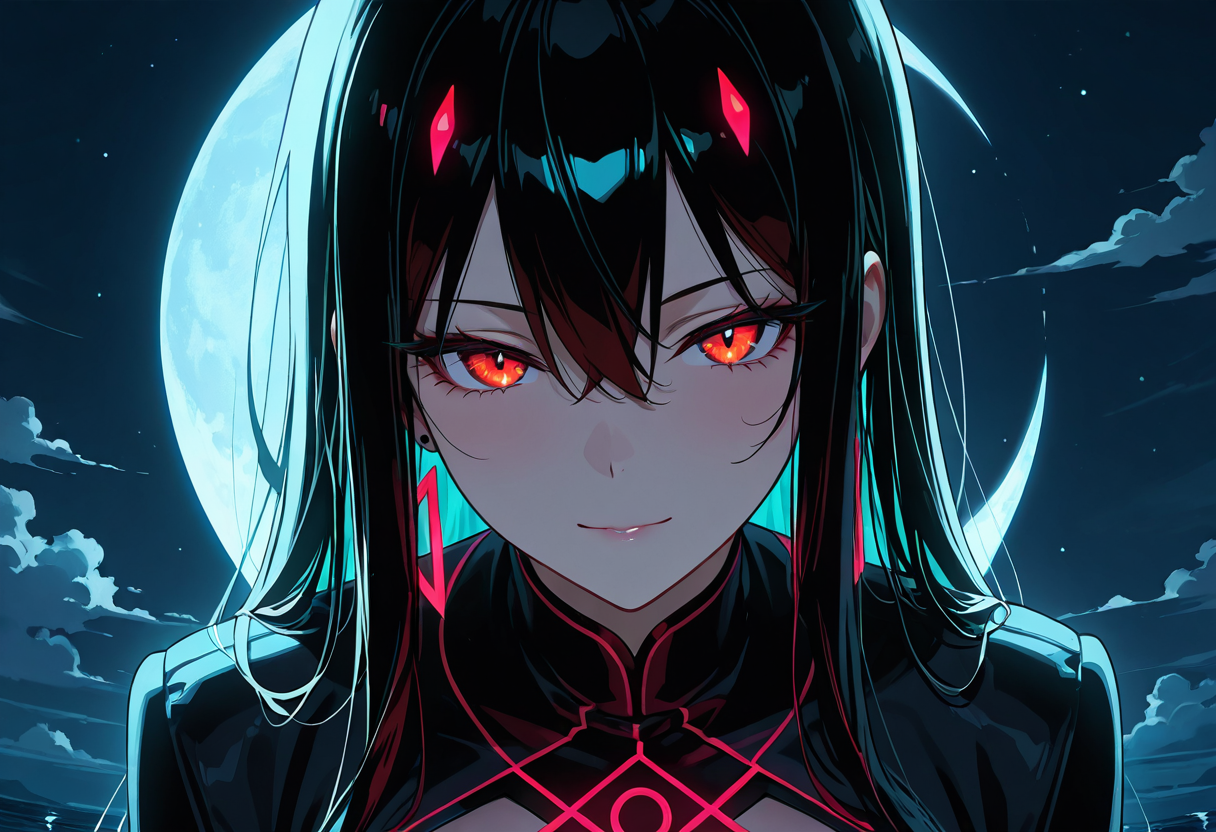
Not every image needs motion. Some frames already feel complete. Others feel like they stop one moment too early. Those are usually the strongest candidates. A close portrait with visible eyes and hair. A rainy window scene with reflections. A fantasy character with fabric, glow, or loose strands. A quiet landscape with fog, water, or drifting light.
The best source images usually have one thing in common: the eye knows exactly where to look. The face is the anchor. Or the subject stands clearly apart from the background. Or the environment itself gives the motion a natural place to live. That clarity matters more than people expect.
Some images are harder from the start. Tiny group shots. Busy collages. Low-resolution screenshots. Heavy crops where the face is partly cut off. Frames with too many objects fighting for attention. Those images can sometimes work, but they do not make good default choices.
| Image type | What usually works | What usually fails | Best motion choice |
|---|---|---|---|
| Close portrait | Blink, slight head motion, soft hair movement | Rubbery mouth, exaggerated facial action | Keep it face-led and subtle |
| Character art | Fabric, particles, hair, light push-in | Large arm or hand motion | Move cloth before limbs |
| Rainy or atmospheric scene | Fog, ripples, rain, drifting light | Overdone zoom or camera swing | Let the environment lead |
| Busy multi-subject image | Very limited motion | Everything moves and looks confused | Crop first or change image |
| Low-resolution photo | Sometimes small motion only | Shimmering edges and unstable detail | Use a cleaner source if possible |
A quick test helps. Look at the frame for three seconds and ask one question: where should the motion live? If that answer is obvious, the image is probably usable. If the answer feels vague, the result often feels vague too.
How to use an AI Video Generator from image
A clean workflow starts before the tool even opens. The first choice is not the export setting. It is the motion idea. What should move in this image? The face? The hair? The rain? The camera? Pick one main idea first. That one decision keeps the rest of the process much cleaner.
Step 1: choose one image with a clear subject
Use the strongest version of the file, not just the quickest one to grab. If there is a larger version, use that. If there is a cleaner crop, use that. If there is a version without text, stickers, or interface clutter, use that. Two extra minutes here often save many failed generations later.
Step 2: decide whether the motion is subject-led or environment-led
Subject-led motion means the person or character carries the action. That usually means blinking, tiny expression shifts, small head movement, or light hair motion. Environment-led motion means the scene carries the mood. Fog moves. Rain slides. Smoke rises. Fabric lifts. Light flickers. Water ripples.
Both can work. The problem starts when both are pushed too far at the same time. A quiet portrait does not need strong zoom, flying hair, glowing particles, and a moving background all at once. One lead is enough. Let the rest stay secondary.
Step 3: write a motion prompt like direction notes
Broad hype language sounds dramatic and usually performs poorly. “Make it cinematic.” “Turn this into an epic movie scene.” “Add lots of dramatic movement.” Those phrases sound energetic, but they are visually vague. Better prompts are specific and calm.
- Weak: Make this image cinematic and dramatic
- Better: subtle blink, slight head turn, soft hair movement, slow camera push-in
- Weak: turn this into a fantasy action scene
- Better: cape fluttering gently, glowing particles rising, no large body movement
Step 4: generate once to test stability
The first pass should answer a simple question: does the image survive motion? Watch the eyes, mouth, shoulders, neckline, hands, and background edges. If those stay stable, the source image is already doing a lot of work. If they fall apart immediately, the problem is often the image itself, not a missing prompt phrase.
Step 5: adjust one thing at a time
This part feels less exciting, but it works. Reduce camera movement. Test again. Add one blink. Test again. Change “strong wind” to “light breeze.” Test again. Once too many variables change at the same time, it becomes hard to tell what actually improved the clip.
How to judge whether a frame will animate well
Good results do not come only from better prompts. They come from better judgment. The fastest way to improve output quality is learning how to spot a good source image before animation starts.
Faces are the first stress point. If one eye is already soft, hidden, or cropped awkwardly, motion will make that weakness more obvious. Hairlines come next. Clean strands can animate nicely. Messy low-detail hair often turns unstable. Hands are another warning sign. Large hand movement is still one of the quickest ways to break a short clip.
Backgrounds matter too. Some background elements are forgiving. Fog. Smoke. Water. Light reflections. Curtains. Bokeh. Those already belong to a moving world. Others are less forgiving. Repeating windows. Dense tree texture. Tight geometric detail. Those can shimmer the second strong camera motion gets added.
Signs the image is a strong candidate
- One clear focal point
- Good separation between subject and background
- Hair, fabric, fog, rain, water, or light that can move naturally
- Enough space around the subject for slight motion
- Lighting that already gives the image a mood
Signs to switch the image
- Face cropped too tightly
- Low-resolution or compressed source
- Too many subjects competing
- Text-heavy screenshots
- Motion idea depends on parts that are not visible
A simple mental model helps here. Split the frame into three layers: anchor, support, and noise. The anchor is where the eye lands first. The support is what can move around it. The noise is everything that distracts or breaks under motion. Strong short clips have one clear anchor, one or two support layers, and very little noise.
Common mistakes
The most common mistake is asking for too much. A still image cannot support every kind of motion equally well, especially in a short clip. When a prompt asks for heavy wind, dramatic zoom, strong expression change, large body movement, and shifting background all at once, the result often looks unstable.
The second mistake is emotional mismatch. A quiet portrait near dusk should not suddenly behave like an action trailer. A foggy night scene should not move like a handheld chase shot. Motion works best when it extends the emotional logic that is already inside the frame.
Another common mistake is trying to solve source-image problems with extra prompt text. If the mouth shape is awkward, the crop is cramped, or the background is messy, adding more adjectives usually does not fix it. A stronger image beats a longer prompt most of the time.
One more pattern shows up often. A first result feels too static, so the next version gets overloaded with movement notes. That usually swings too far. In most cases, the better correction is smaller. One extra motion note. One reduction in camera intensity. One cleaner source image.
A better workflow for consistent results
The easiest way to improve results over time is to stop treating every image as a blank experiment. A repeatable method works better. Keep a few motion templates in mind. One for close portraits. One for scenic weather shots. One for stylized characters. One for fantasy poster-style scenes.
A portrait template might be simple: subtle blink, slight head movement, soft hair motion, slow push-in, no exaggerated expression change. A scenic template might be just as plain: drifting fog, rain on glass, gentle light movement, stable camera, quiet mood. Templates are not there to remove judgment. They are there to reduce guesswork.
Another useful rule is knowing when to build the still image first. If the exact mood does not already exist in a usable frame, it often makes sense to create the image first and animate it second. That is one reason a paired workflow can feel cleaner: the still image handles composition and style, then the motion layer handles time and atmosphere.
That approach is especially helpful when the desired scene needs specific motion hooks. Loose hair. Visible fabric edges. Rain on glass. Smoke, petals, water, fog, or reflected light. When the still frame contains those elements on purpose, the motion usually feels easier to guide later.
Use cases and scene ideas
Short motion clips work best when the goal is quick impact. A profile visual. A landing page hero. A concept reveal. A mood board. A social post where a still image already feels close, but not quite complete. That is where this format becomes useful.
Portrait-led clips work well for quiet emotion. One blink and a soft head shift can turn a good image into a memorable one. Scenic clips work well for atmosphere. Rain, fog, reflections, or drifting light make the frame feel lived in. Character art often sits between the two. Hair, fabric, and particles support the scene while the central figure stays stable.
This is also why an AI Video Generator can work better as a finishing step than as a standalone trick. The real value is not “adding motion” in the abstract. The value is choosing what part of a still image deserves time. Once that choice is clear, the result usually becomes cleaner.
Three habits that improve results fast
- Spend longer choosing the image than choosing the adjectives.
- Keep motion smaller than first instinct suggests.
- Stop when the frame feels alive, not when it feels overloaded.
That is really the whole idea. A better AI Video Generator result usually comes from clear choices, not extra complexity. One strong frame. One believable motion idea. One short clip that knows where attention should go.
Extended reading
- Cling AI — homepage entry for the wider product experience.
- Blog — browse related posts and internal reading paths.
- Photo to Video — the main destination for the conversion flow.
FAQ
What is the best motion to start with when using an AI Video Generator from image?
Why do some photos animate well while others fall apart?
Is subtle motion really better than dramatic motion?
When should the still image be created first instead of using an existing photo?
Try Cling AI’s Photo to Video free
If the image is ready, the next step is simple. Move from still frame to short motion clip with a workflow that stays focused on clean visual judgment. For users searching ai video generator from image or animate photos with ai, this is the page that should carry the main conversion intent.